Network Routes
Introduction
The Network Routes page displays the current routing table for the system. It lists every
route in a detailed table showing its destination, gateway, source address, associated device,
metric, and protocol (for example, dhcp or kernel).
Use this page to review existing routes and to add or remove static routes as required.
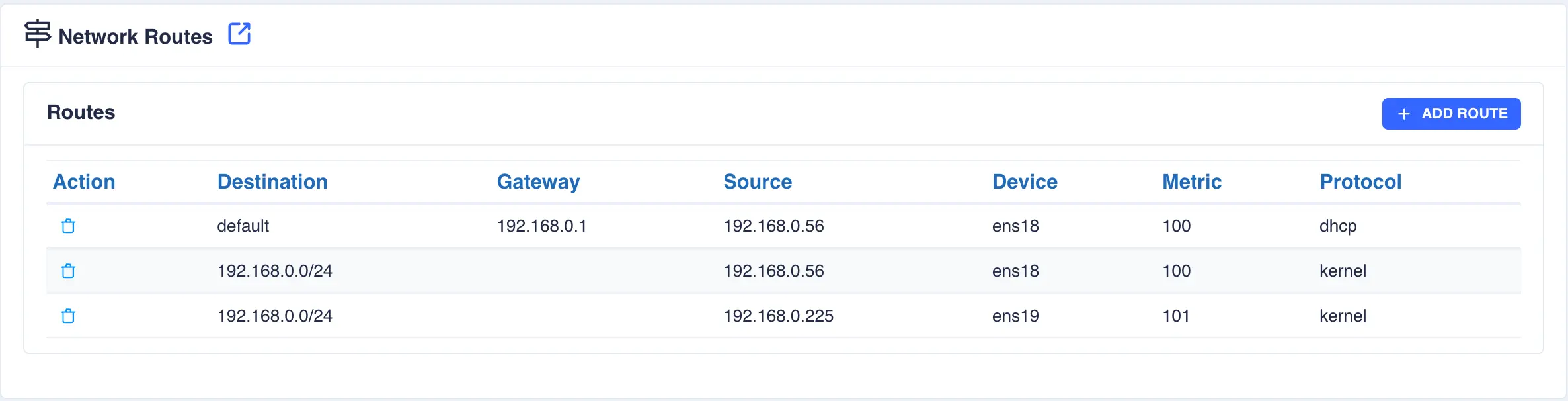
Each route discovered on the system is displayed in the Routes table. The Action column provides a control to delete an individual route.
Add static route
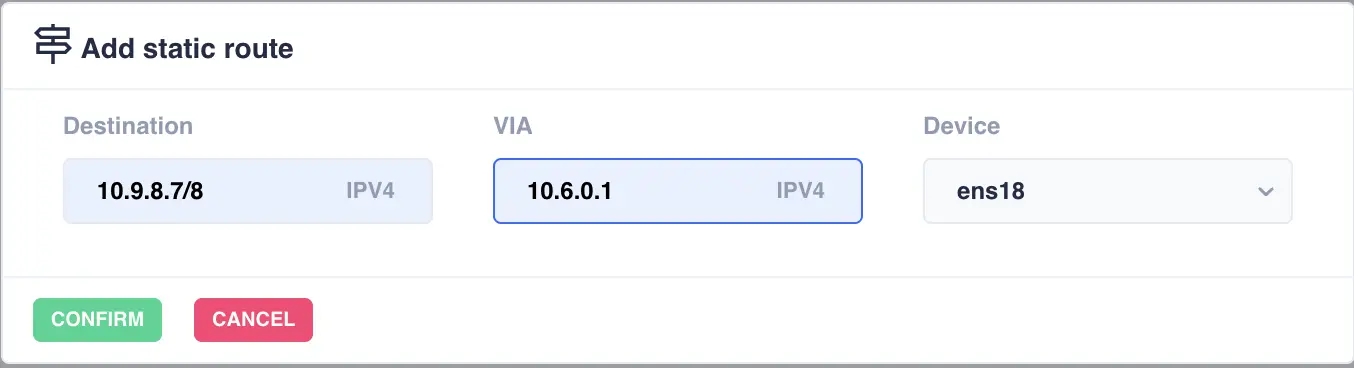
To add a new static route, select the + ADD ROUTE button, which opens the Add static route dialog:
| Field | Description |
|---|---|
Destination |
The destination network or host in CIDR notation (for example, 10.9.8.7/8 or 0.0.0.0/0 for the default route). The field indicates whether the address is IPv4 or IPv6. |
VIA |
The gateway address through which traffic to the destination should be routed (for example, 10.6.0.1). The field indicates whether the address is IPv4 or IPv6. |
Device |
The network interface through which the route will be installed. Available interfaces are presented in a dropdown list. |