Proxmox
Proxmox
The System / Proxmox page provides an overview of connected Proxmox VE datacenters (connections are
configured in the System → Proxmox page).
For each datacenter it displays the configured virtual machines (VMs), containers, and storage, together with recent tasks;
any unviewed tasks are highlighted with a badge on the Tasks tab.
Proxmox inventory data is refreshed every 10 seconds. This interval reduces the load placed on the datacenter while still keeping the displayed state reasonably current.
Overview
The page is organised as follows:
- A header shows the last inventory update timestamp and the selected node.
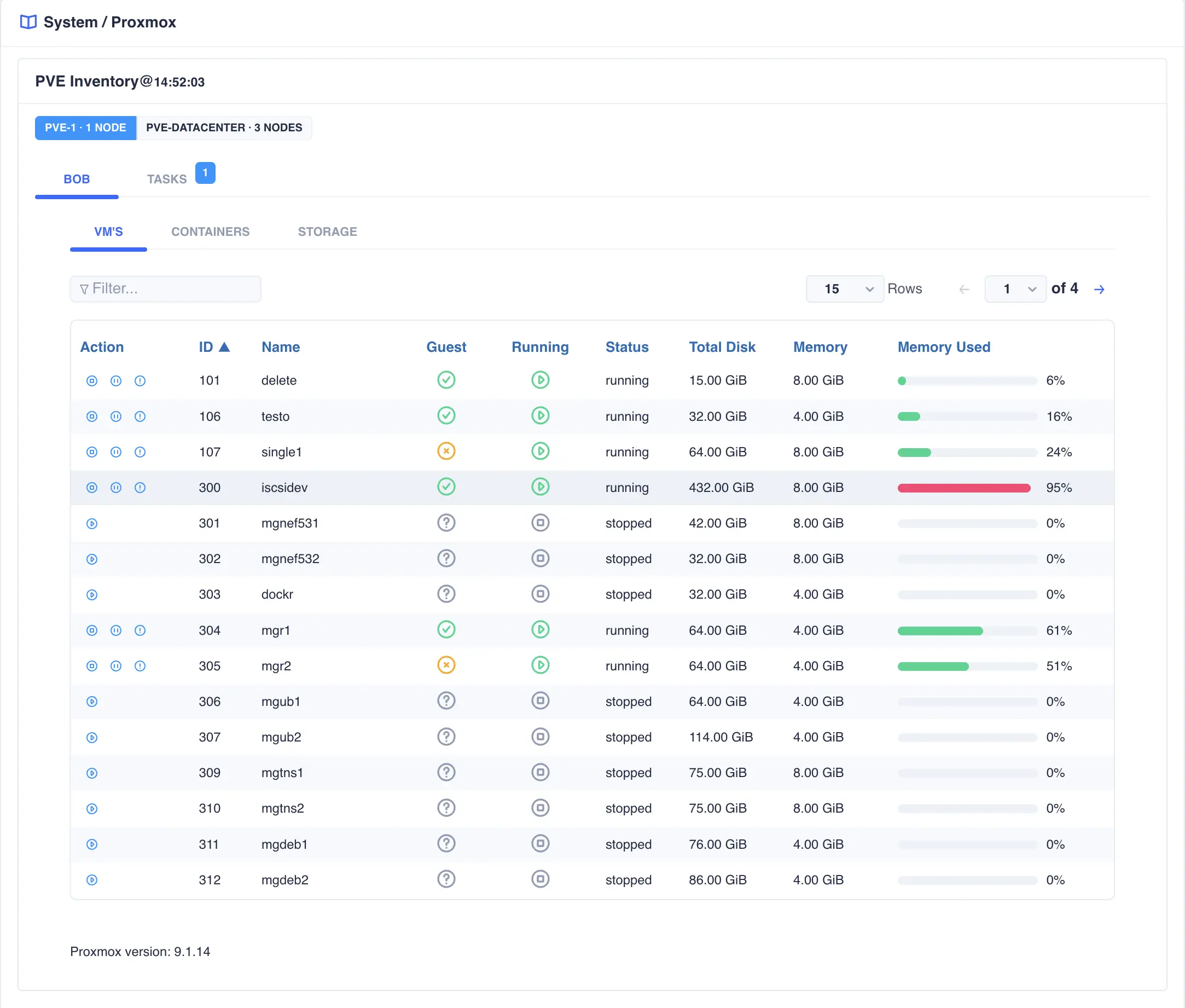
- Tabs switch between the VM, container, and storage views for the current datacenter.
- The Tasks tab lists recent tasks.
- Tables provide filtering, sorting, and pagination for the displayed objects.
- Below the main table, the Proxmox version running on the selected datacenter/host is displayed.
- Action icons on each row allow common operations (for example, start, stop, migrate, or view details), subject to the current state of the object:
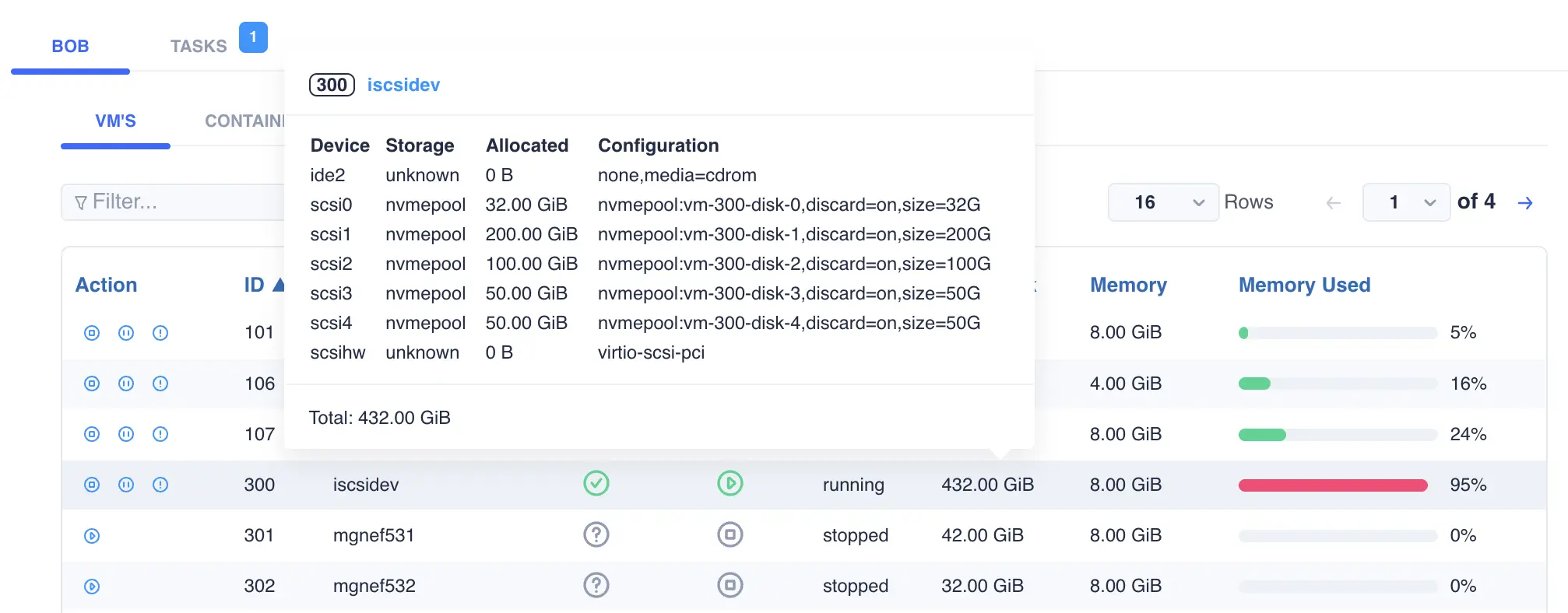
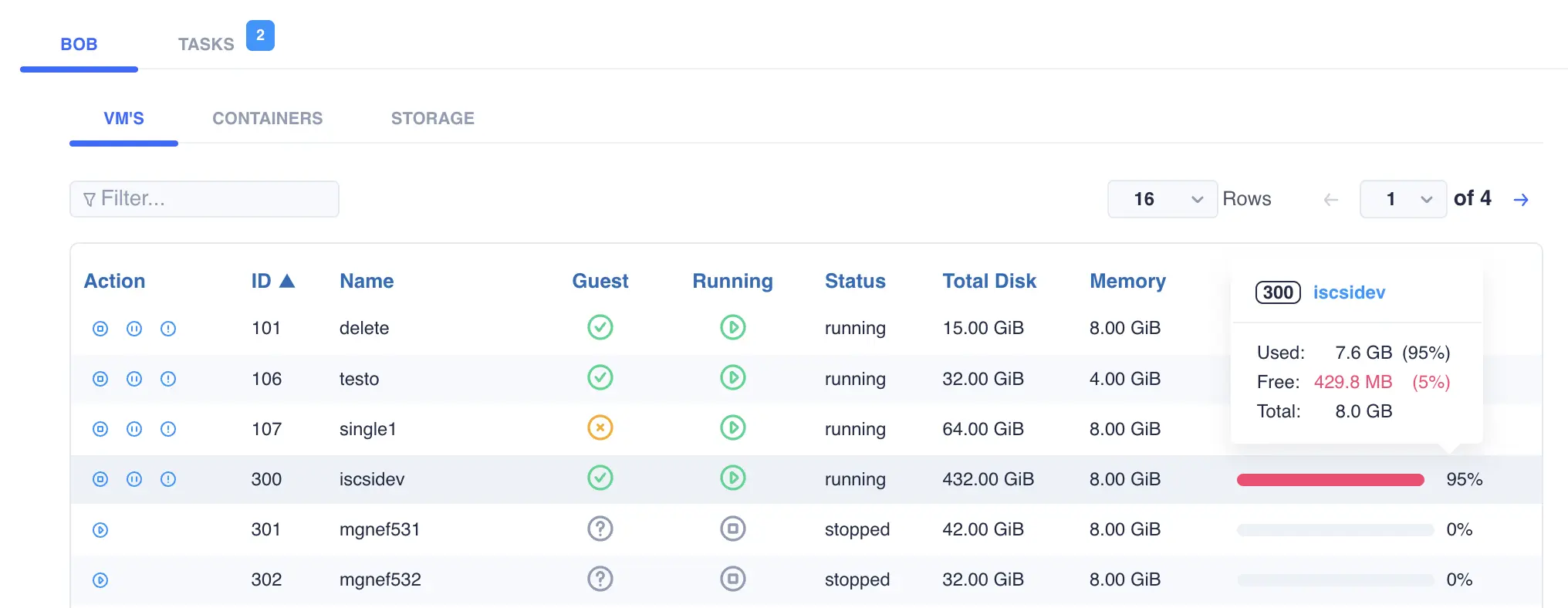
Detailed information for each VM memory and storage can be obtained by hovering the mouse over the Total Disk
and Memory Used column values:
Storage
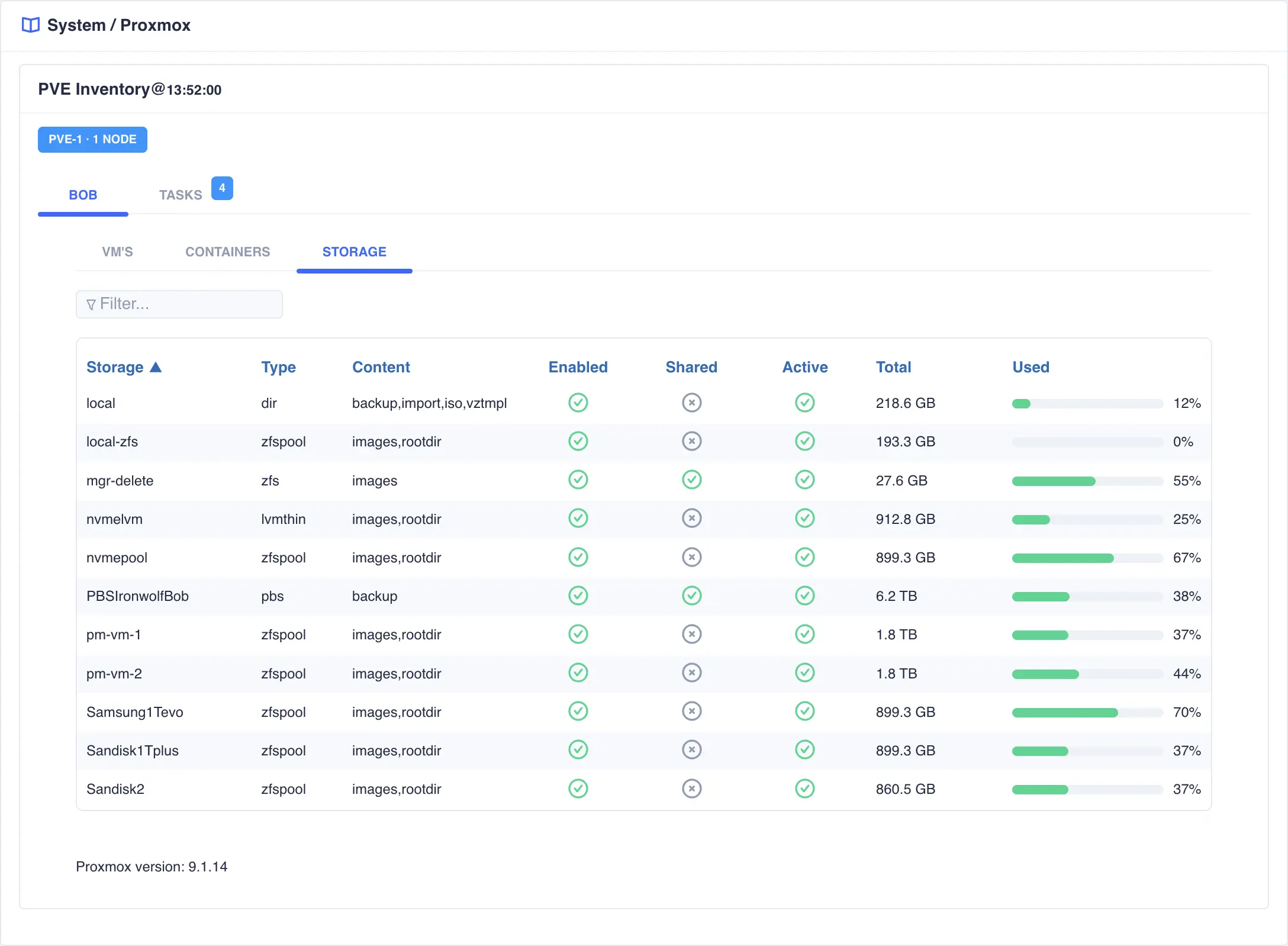
The Storage tab lists every storage object configured in the datacenter along with usage information:
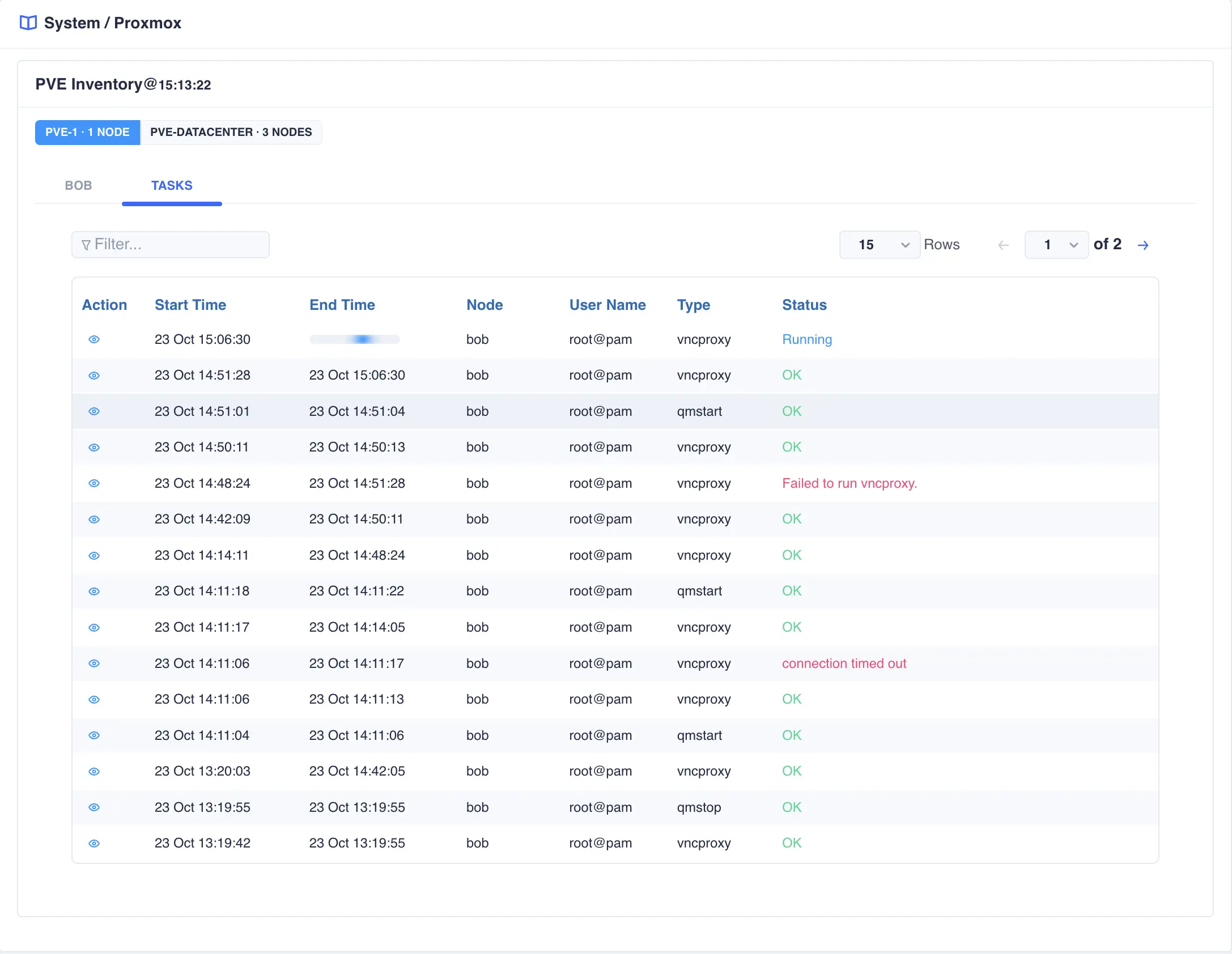
Tasks
The Tasks tab lists recent tasks for the datacenter. Unviewed tasks are highlighted with a badge whose colour reflects the highest severity among those tasks (red indicates an error for example). Running tasks show a placeholder in the end-time column:
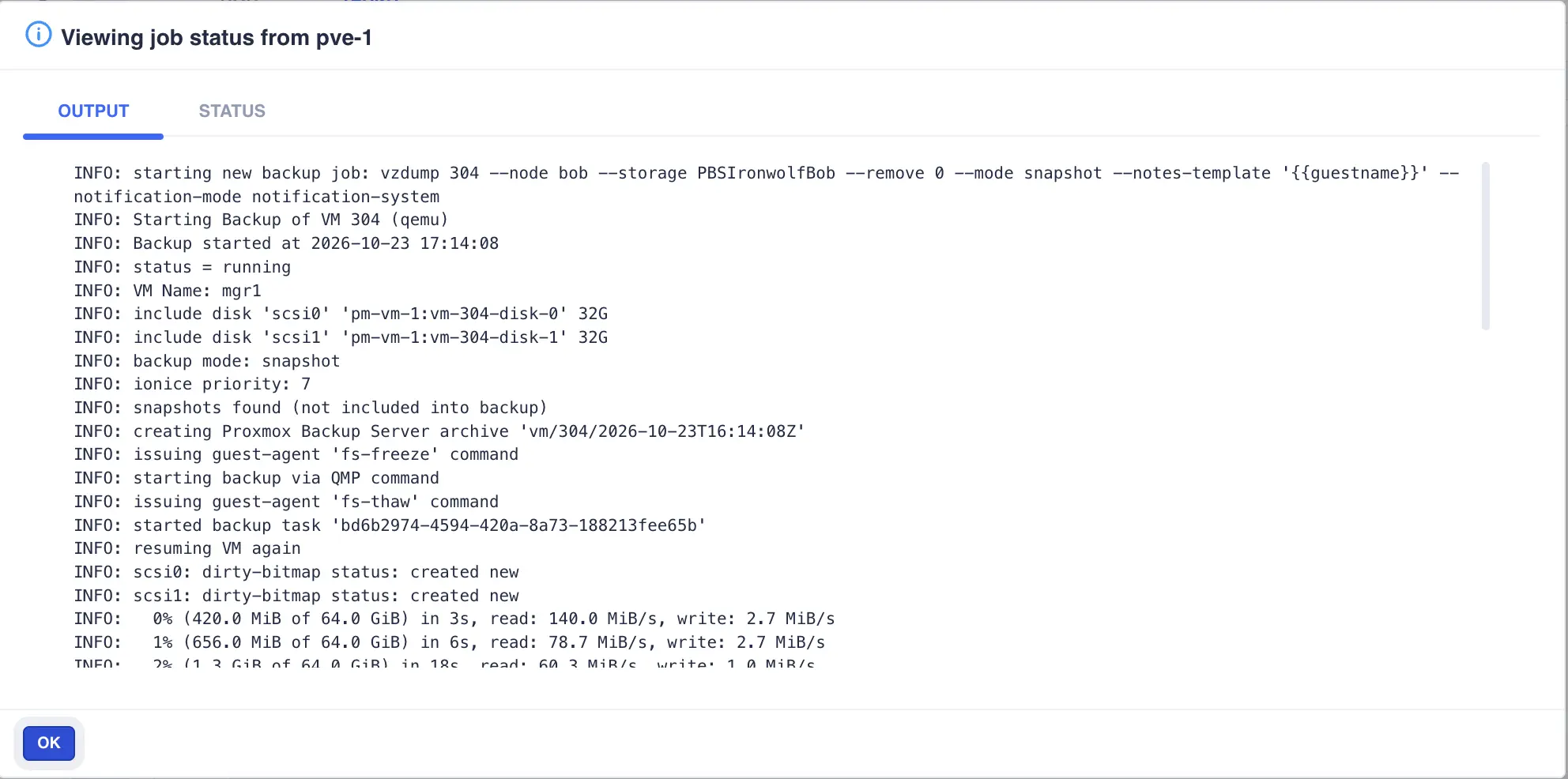
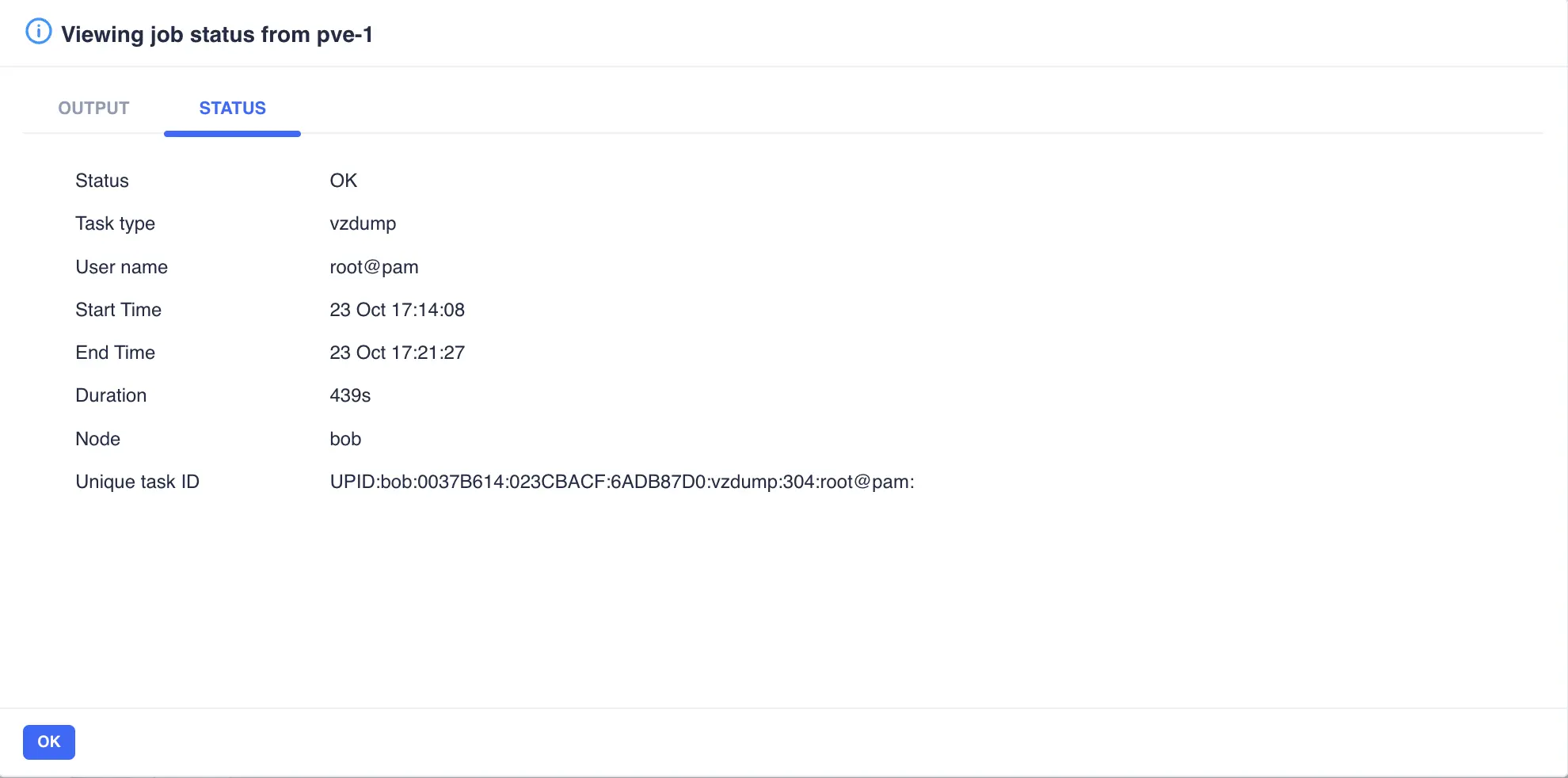
Clicking the eye icon  opens a popup that shows the task output and status:
Actions
The Action column provides context-sensitive controls for each VM or container. The icons that appear depend on the current state of the object: for example, a stopped VM shows a start icon, while a running VM shows stop, suspend, and reboot icons.
Available actions are:
| Action | Description | Availability |
|---|---|---|
 Start Start |
Powers on a stopped VM or container | Stopped VMs and containers |
 Stop Stop |
Shuts down a running VM or container | Running VMs and containers |
 Suspend Suspend |
Pauses a running VM | Running VMs |
 Resume Resume |
Continues a suspended VM | Suspended VMs |
 Reboot Reboot |
Restarts a running VM or container | Running VMs and containers |
 Migrate Migrate |
Moves a VM to another node | VMs in a Proxmox cluster only |